FREE Sketch Bat Icon – Hand-Drawn & Scalable
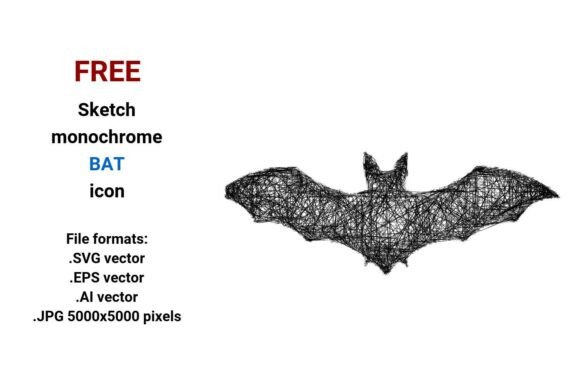
Need a bat icon that feels alive—not sterile, not overdesigned, but expressive and intentional? The FREE Sketch Bat Icon delivers exactly that: a bold, hand-drawn bat in clean black-and-white, crafted with visible line variation, subtle imperfections, and confident curves. It’s not just another clipart bat—it’s a flying bat captured mid-gesture, suggesting motion, wildness, and character. And because it’s delivered in four professional file formats—.SVG vector, .EPS vector, .AI vector, and high-res .JPG (5000×5000 pixels)—it works equally well on a tiny mobile button or a large-format print.
Why This Sketch-Style Bat Stands Out
Most bat icons lean heavily into either cartoon cuteness or gothic severity. This one occupies a thoughtful middle ground: wild but approachable, animal but stylized, sketched but precise enough for professional use. Its loose outline suggests hand-drawn authenticity—ideal for brands or projects that value human touch over digital perfection. That’s why designers reach for it when building websites, apps, or marketing assets where warmth and personality matter more than rigid symmetry.
As a vector image, it’s built from mathematical paths—not pixels—so you can scale it to billboard size or shrink it to 16×16 pixels without blurring, jagged edges, or quality loss. Whether you’re placing it as a navigation sketch icon, a bat button in a UI kit, or a website sketch icon for a nature blog, the integrity stays intact. No need to second-guess resolution or compatibility.
Creative Uses Across Real Projects
This sketch bat icon thrives in contexts where tone and intention align. Here’s how different users apply it—practically and effectively:
- Bloggers & Educators: Use the flying bat icon to visually tag posts about nocturnal ecology, conservation efforts, or Halloween science activities. Pair it with short captions like “Wild Fact” or “Bat Behavior Spotlight”—its informal line art invites curiosity without intimidating younger readers.
- Small Business Owners: A local bat sanctuary, eco-tourism operator, or sustainable apparel brand might integrate the sketch style icon into email headers, social banners, or product labels. Its monochrome palette ensures consistency across print and digital—and avoids clashing with seasonal color schemes.
- UX Designers: Drop the .SVG vector version directly into Figma or Adobe XD as a reusable button icon. Its open negative space and clear silhouette ensure readability at small sizes. Try pairing it with soft rounded typefaces to reinforce its casual, human-made feel.
- Freelancers & Marketers: Build branded presentation decks using the .AI vector file—easily recoloring strokes or adjusting stroke weight to match client guidelines. Its outline sketch icon structure makes it simple to layer over photos or textures without visual competition.
Adapting the Icon Thoughtfully
One strength of this FREE Sketch Bat Icon is how easily it adapts—without losing its core identity. You don’t need design software mastery to make it work for your goals. For example:
- For Print: Use the .EPS vector file in Illustrator or InDesign. Set stroke weight to 0.75 pt for crisp business cards, or increase to 2.5 pt for a bold poster headline anchor.
- For Web: Export the .SVG vector with minimal code (no embedded fonts or effects). Add CSS hover states—like subtle stroke color shift or gentle lift animation—to turn it into an engaging web icon.
- For Social Media: The .JPG (5000×5000) gives flexibility. Crop tightly for Instagram profile highlights, or place centrally over muted gradients for Pinterest pins about wildlife illustration or creative education.
Keep adaptations grounded. If you’re designing for children, avoid overly thin strokes or tight curves that could blur at small sizes. If targeting conservation professionals, consider adding a subtle leaf or soundwave motif nearby—but only if it supports, not distracts from, the bat’s presence.
Design Integrity Starts With Intention
A hand drawn sketch isn’t just a style choice—it’s a signal. It tells your audience: “This was made with care, not generated on autopilot.” That resonance matters. When users see a rough sketch icon next to polished photography or data visualizations, it creates contrast that guides attention and adds narrative texture.
But authenticity requires consistency. If you use this sketch bat icon in a series, maintain similar stroke weights, spacing, and rhythm across other elements—even if they’re custom-drawn. That cohesion turns individual assets into a recognizable design element system. Think of it as visual punctuation: quiet, purposeful, and always serving the message—not the other way around.
Getting Started—Fast and Flexible
Download is instant. No sign-up. No watermarks. Just four ready-to-use files—each optimized for its role:
- .SVG vector: Best for websites, interactive prototypes, and modern CMS platforms.
- .EPS vector: Ideal for legacy print workflows and large-format output.
- .AI vector: Perfect for editing in Adobe Illustrator—adjust layers, colors, or anchor points freely.
- .JPG (5000×5000): High-resolution fallback for platforms that don’t support vectors—or for quick mockups in Canva or Keynote.
No licensing surprises. Use it commercially, in open-source tools, or for personal experiments—freely and ethically. Just credit isn’t required, though many creators choose to mention the source when sharing tutorials or templates, reinforcing trust and transparency.
Final Thought: Let the Sketch Lead
Icons are often treated as functional afterthoughts—placed, sized, forgotten. But the FREE Sketch Bat Icon invites something different: pause, observe, respond. Its curves echo wing flex. Its asymmetry hints at flight direction. Even in black-and-white, it carries energy. That’s the quiet power of well-considered line art: it doesn’t shout, but it holds space.
So whether you’re launching a wildlife podcast, updating a museum’s digital guide, or prototyping a sustainability app, let this flying bat icon do more than decorate. Let it reflect intention, support clarity, and quietly reinforce what matters most—your idea, your voice, your audience’s experience.