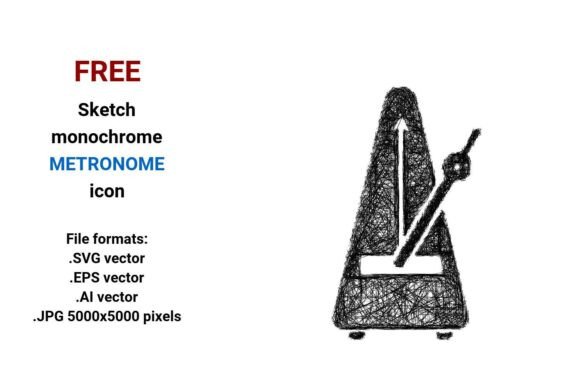
FREE Sketch Metronome Icon: Clean, Scalable & Ready for Music Design
If you're designing music education apps, creating presentation slides for rhythm workshops, or building a modern music production website, finding the right visual shorthand matters. A FREE Sketch Metronome Icon isn’t just decorative—it’s functional communication. It signals precision, timing, and musical intention at a glance. And when it’s delivered in true vector formats with a hand-drawn, minimalist sketch aesthetic, it bridges professionalism and approachability—exactly what educators, UI designers, and indie developers need.
Why This Icon Solves Real Design Challenges
Many designers face recurring hurdles: icons that pixelate on high-DPI screens, lack of stylistic consistency across interfaces, or time wasted adapting generic assets to match a “sketched” or “hand-drawn” brand voice. Others need tempo-related visuals for lesson plans, flashcards, or interactive metronome tools—but struggle to find royalty-free assets that feel human, not robotic. That’s where the FREE Sketch Metronome Icon stands out. It’s not a stiff, photorealistic rendering—it’s a thoughtful, pen-drawn interpretation of a classic tempo device, optimized for clarity and versatility.
This icon speaks directly to users who value both function and feeling: music teachers want warmth and accessibility in their materials; app designers need crisp scalability for responsive layouts; presenters require clean, legible graphics for large-format displays. The sketch style adds personality without sacrificing usability—making the metronome feel inviting rather than intimidating.
Four Formats, One Seamless Workflow
The FREE Sketch Metronome Icon comes in four production-ready file types—each serving a distinct purpose:
- .SVG vector: Ideal for web use—embed directly into HTML, scale infinitely, and style with CSS (e.g., change stroke color on hover). Perfect for buttons, navigation bars, or animated tempo controls in music learning platforms.
- .EPS vector: Industry-standard for print workflows. Use it confidently in brochures, posters, or curriculum handouts—even when scaled to poster size, every line remains razor-sharp.
- .AI vector: Native Adobe Illustrator format. Modify anchor points, adjust stroke weight, recolor layers, or integrate seamlessly into larger UI kits and design systems.
- .JPG (5000×5000 pixels): High-resolution raster option for quick insertion into PowerPoint, Keynote, Canva, or PDF reports—no editing software required. Crisp even when zoomed or projected.
Unlike bitmap-only icons, this set leverages the core strength of vector image technology: mathematical precision. Because it’s built from points, lines, and curves—not pixels—it retains clarity at any size, from a 16px toolbar button to a 3-foot-wide classroom poster. That reliability saves time, eliminates guesswork, and ensures your tempo messaging stays sharp—literally.
Practical Uses Across Music & Design Contexts
Here’s how different users apply the FREE Sketch Metronome Icon to real-world needs:
- Music Teachers & Curriculum Designers: Embed the SVG into interactive Google Slides or Notion pages as a clickable metronome button. Pair it with BPM explanations or rhythmic exercises—its sketch style feels friendly and pedagogically intentional.
- App & Web Developers: Drop the SVG into React or Vue components with dynamic color theming. Use the AI file to generate consistent icon variants (e.g., “slow,” “medium,” “fast”) using the same line-weight and proportion logic.
- Graphic Designers & Illustrators: Layer the sketch-style icon over textured backgrounds or combine it with other line art elements to build cohesive music-themed branding—think album covers, workshop flyers, or podcast thumbnails.
- Students & DIY Creators: Print the JPG version for physical flashcards or paste it into digital journals (like Obsidian or GoodNotes) as a visual anchor for practice logs. Its simple sketch icon aesthetic supports focus—not distraction.
What Makes This More Than Just Another Metronome Graphic?
It’s the intentional balance of minimalism and expressiveness. Unlike overly technical or sterile icons, this sketch metronome uses subtle hatch hints, uneven line weights, and organic curves—evoking a pen drawn icon made by hand, not algorithm. That artistic authenticity resonates in contexts where trust and human connection matter: online music lessons, therapeutic sound sessions, or community choir websites.
It also avoids visual clutter. No unnecessary shadows, gradients, or 3D effects—just clear silhouette, balanced negative space, and intuitive recognition. That’s why it works equally well as a mobile sketch icon (small tap target, high contrast) or a full-screen presentation graphic. Whether you call it a tempo device icon, a metronome vector, or simply a sketched interface element—it delivers consistent meaning without demanding explanation.
Smart Implementation Tips
To get the most from your FREE Sketch Metronome Icon, keep these practical considerations in mind:
- Consistency first: Use the same stroke weight and corner radius across all icons in your project. If modifying the AI file, preserve the original sketch line icon rhythm—don’t over-smooth curves.
- Contextual contrast: On dark interfaces, invert the icon or add a subtle white stroke. In print, test grayscale output—the outline and mark quality hold up beautifully.
- Accessibility note: When used as a metronome button, always pair it with descriptive alt text (e.g., “Set tempo: 60 BPM”) or an adjacent label—especially important for screen readers.
- License check: Confirm usage rights for commercial projects—even “free” icons sometimes restrict redistribution in bundled assets. This FREE Sketch Metronome Icon is cleared for personal and commercial use, including SaaS dashboards and paid educational tools.
Finally, remember that the best icons don’t shout—they support. This metronome icon doesn’t replace teaching or functionality; it quietly reinforces it. Whether you’re guiding a beginner through their first dotted quarter note or refining the micro-interactions of a professional DAW plugin, its clarity, flexibility, and quiet humanity make it more than just a graphic—it’s a thoughtful tool for making music easier to learn, build, and share.